
| WinZip creates Zip files that abide by the specifications as published in the .ZIP Application Note. Encryption is applied to files that are being zipped. This encryption is added after compression and does not affect any other associated data. Data in a Zip file is encrypted byte-for-byte. |
WinZip can encrypt files while you create new Zip files (.zip or .zipx) and it can also add encryption to data in existing Zip files.
Encrypt while creating Zip files
WinZip in the Default or Classic view:
- Click the Encrypt toggle in the Zip pane
- If you have not already done so, click the File > WinZip Settings > Encryption to set the encryption level.
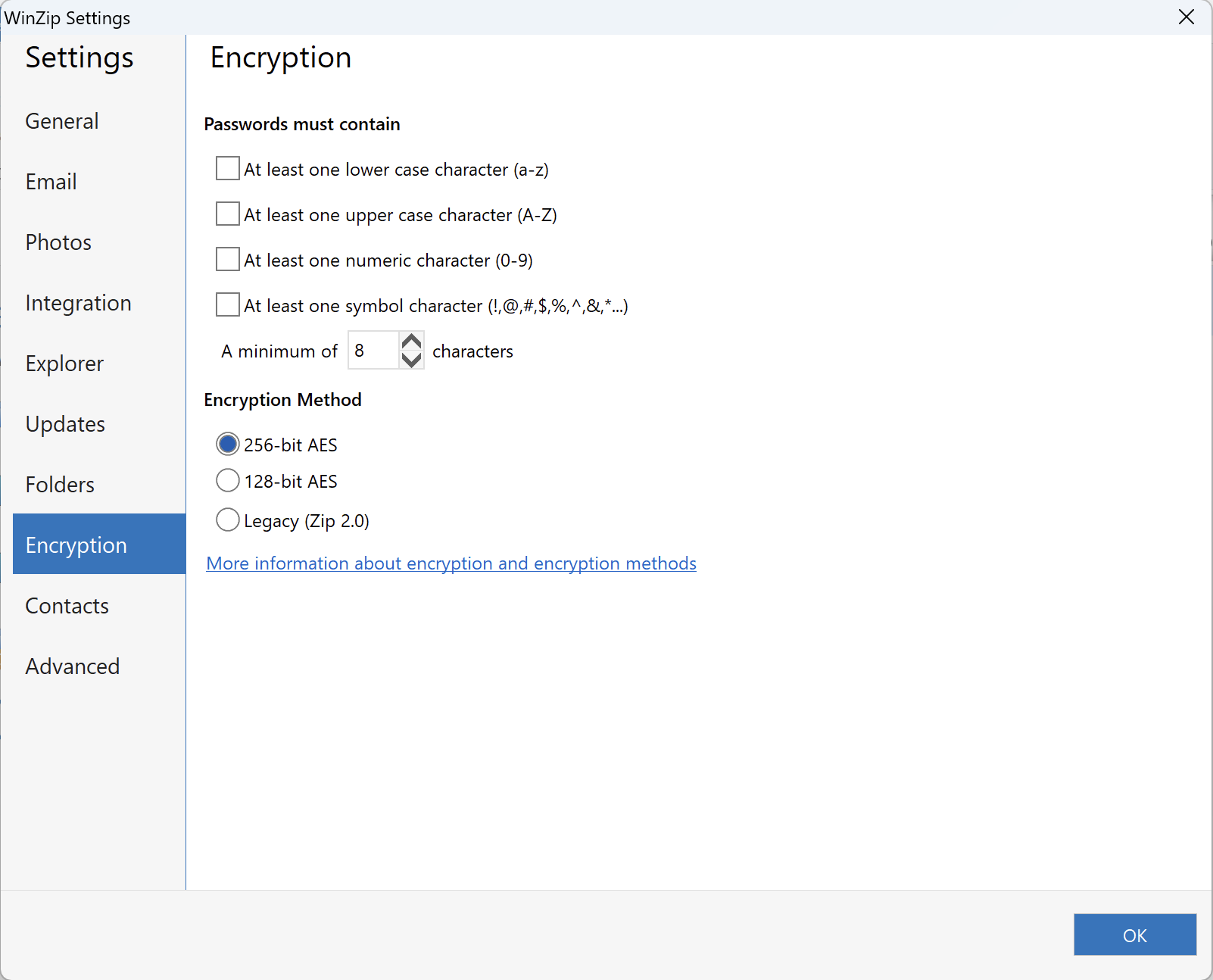
- Add files to your new Zip file
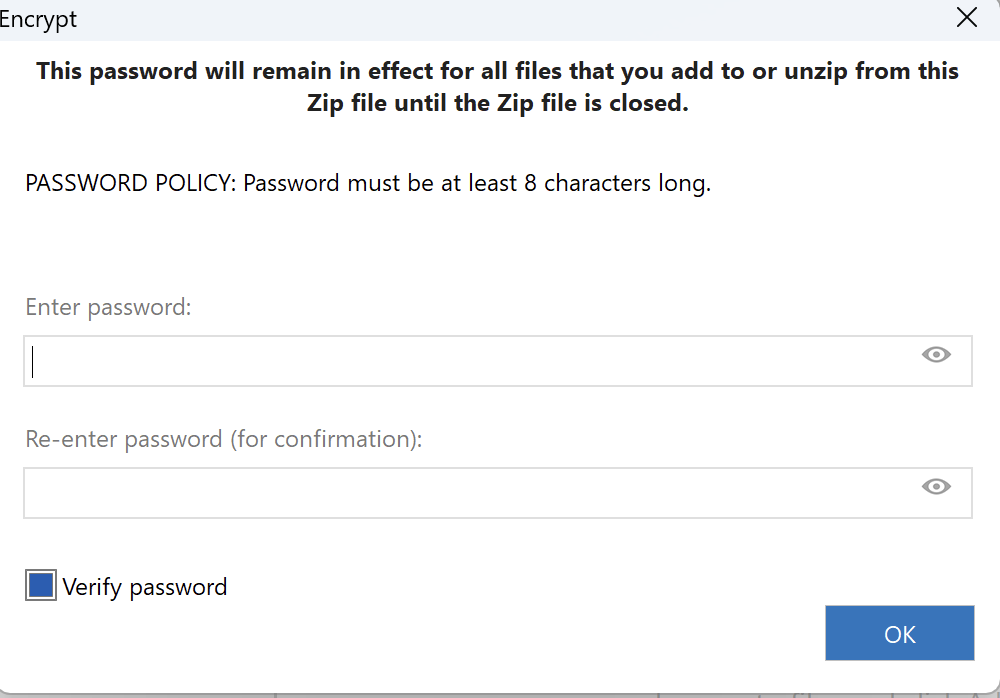
- Enter a password when the Encrypt dialog displays
- Save the Zip file
If you are creating a Zip file in a folder window using the context menu (right click), you will have the option to encrypt the files and select encryption strength if the Add dialog is displayed. If you choose to add files to an existing Zip file using Add to recently used Zip file there will be no Add dialog and therefore no opportunity to encrypt the files while they are being added. In such a case, you can encrypt files after they have been added.
Another option would be to use WinZip Express for Explorer. To do this, click Zip and Share (WinZip Express) when you right click. With WinZip Express you can zip, choose to encrypt, and make use of many additional options such as saving to a cloud service.
Encrypt data in an existing Zip file
In the WinZip user interface:
- Method 1:
- Open the Zip file
- Click the Encrypt toggle in the Zip pane, and zip the file.
- Method 2:
- Open the Zip file
- Click the Tools tab
- Click the Encrypt button in the Selected Files section (WinZip 22.0 or later)
For recent WinZip versions prior to 22.0, click Selected Files, check the box next to Encrypt files, and click the Convert Selected Files button
In a Windows Explorer folder window:
- Right-click on the Zip file in a folder window
- Choose WinZip
- Click Encrypt
In each case, WinZip will ask for a password and then encrypt all files currently in the Zip file. Depending on the method you use, you may or may not have the option to change the encryption strength.
If a file in the Zip file is already encrypted, it will first be decrypted and then re-encrypted using the password and encryption method you specified. WinZip will first try to decrypt the file using the current password; if the file cannot be decrypted with this password, WinZip will ask you for the correct password. If you are unable to supply the correct password, the file can be skipped, and it will remain unchanged in the Zip file. The password you entered in the Encrypt dialog box will remain active until either you delete or replace it, or you close the archive.
Was this article helpful?
Tell us how we can improve it.