
Note: a WinZip Pro or WinZip Enterprise license is required in order to use WinZip Backup features.
WinZip Backup jobs automate the process of creating and updating Zip files. They are great for your repetitive zipping tasks, such as:
- Periodic data backups
- Periodic data archival
- Periodic packaging and transmission of reports, spreadsheets, etc.
WinZip jobs let you specify what files you want zipped, how you want them zipped, where the resulting Zip files should go, and more. Please see the various sections of this article below for more.
Pre-configured Data Backup Jobs
To quickly zip important data, WinZip provides a set of pre-configured data backup jobs. These are found easily in the WinZip Backup tab, and they will locate and Zip data files from any or all of these locations on your computer:
- Documents Library: Zips the contents of your Documents Library, including all subfolders
- Pictures Library: Zips the contents of your Pictures Library, including all subfolders
- Docs, E-mail, Favs, and Desktop: Combines the 4 non-library jobs into one convenient Zip file
- All Libraries: Zips the files and subfolders in all of your Libraries
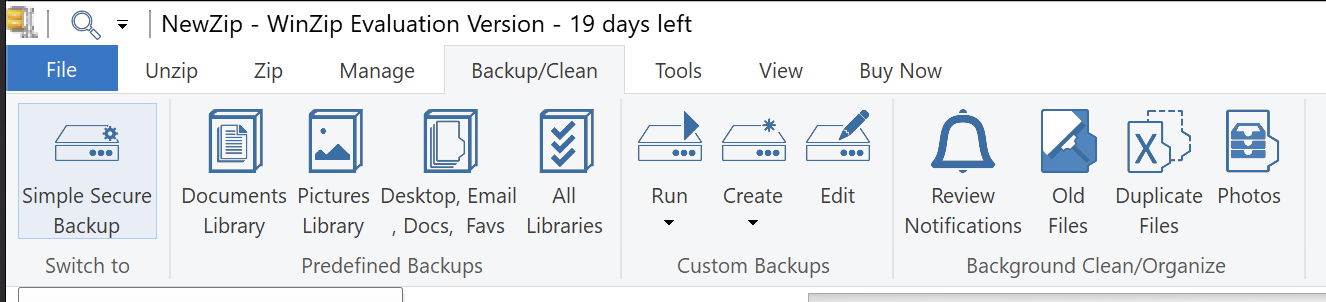
The Job Wizard
The easy-to-use Job Wizard helps you to create and/or edit your own jobs. It guides you, in a few quick steps, through the process of specifying exactly how your backup job should work.
Using the Job Wizard, you can specify:
- Which files and folders you want to zip, and how they should be compressed
- The Zip file name and its target folder (Zip file names can include variable components such as the date and time so that new Zip files won't overwrite existing Zip files)
- What, if any, file attributes and dates should be used to determine which files will be zipped, and whether existing Zip files should be replaced or updated (For those familiar with standard backup programs, these options combine to specify backup types such as Normal, Incremental, Differential, etc.)
- Whether to encrypt files when they are zipped
- What folder information should be stored in the Zip file
- If your files should have any conversions applied as they are zipped
- If the job will be scheduled to run automatically and, if so, when
- If the PC should shut down on completion of your scheduled job (WinZip 21.5 or later)
- Whether the Zip file created will be sent to a Cloud or FTP location
- Whether the Zip file and/or log file will be emailed after the job completes
- Whether created files should expire according to a schedule you set
Scheduling WinZip Backup jobs
You can schedule jobs to run:
- Daily: Your job runs at the time you choose, and you specify how many days between runs (1 to 365)
- Weekly: Your job runs at the time you specify, on the day(s) of the week you specify, and you choose the number of weeks between runs (1 to 52)
- Monthly: Your job runs on a specific day of the month or on a schedule, such as the first Tuesday of each month or the second Saturdays of July and December
Scheduling jobs is easy with the WinZip Job Wizard / WinZip Secure Backup Applet. Just choose daily, weekly, or monthly; specify schedule details if applicable; type in your username and password; and click OK. Since the Schedule Job dialog is a custom interface to the Windows Task Scheduler, your username and password will be required to save your scheduled job.
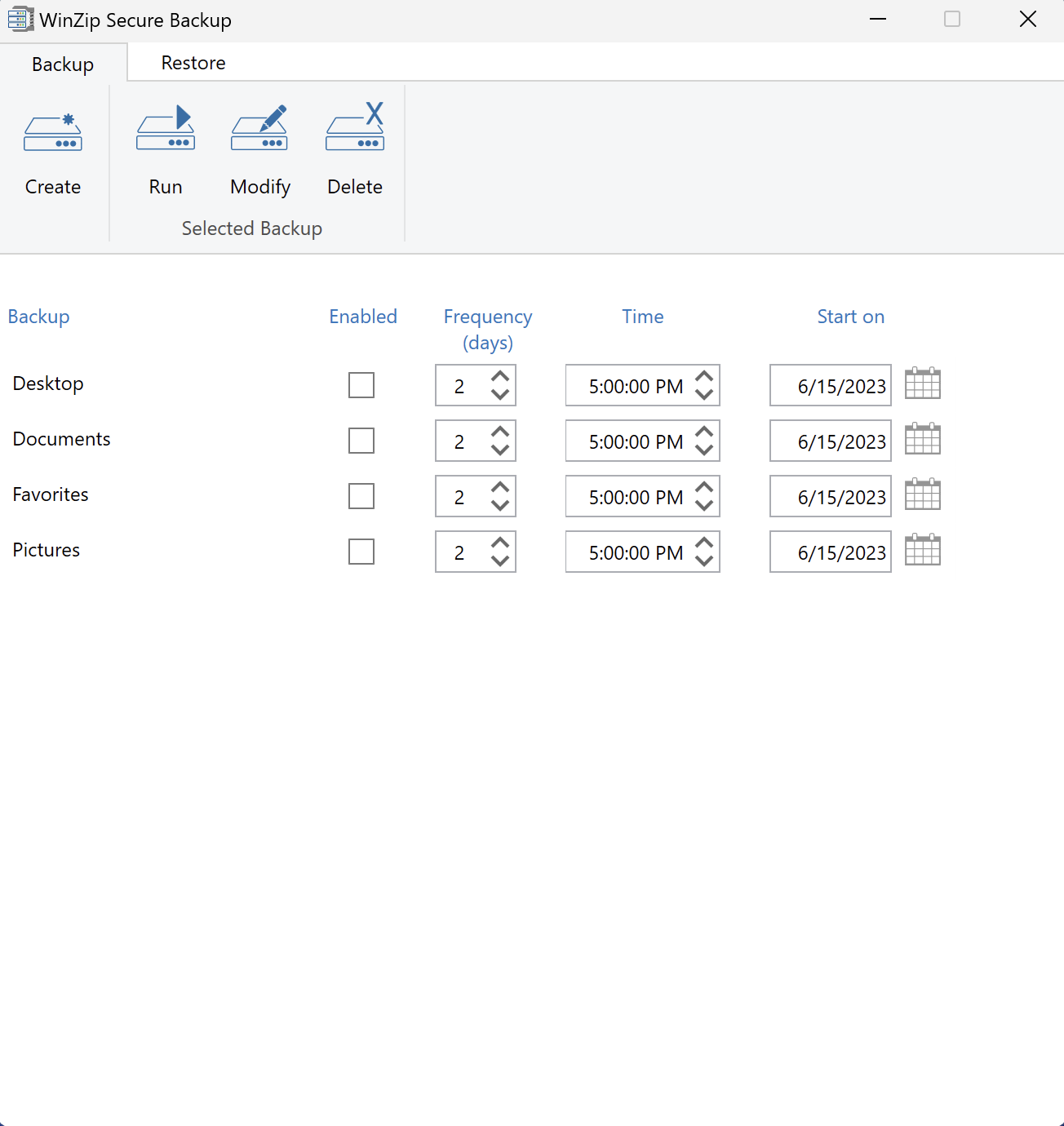
Note: The WinZip Job Wizard will prefill User name in a fashion similar to Computer name\user name. If the computer is a member of a domain, you will need to change the user name to be similar to Domain\user name.
Save a copy to the Cloud
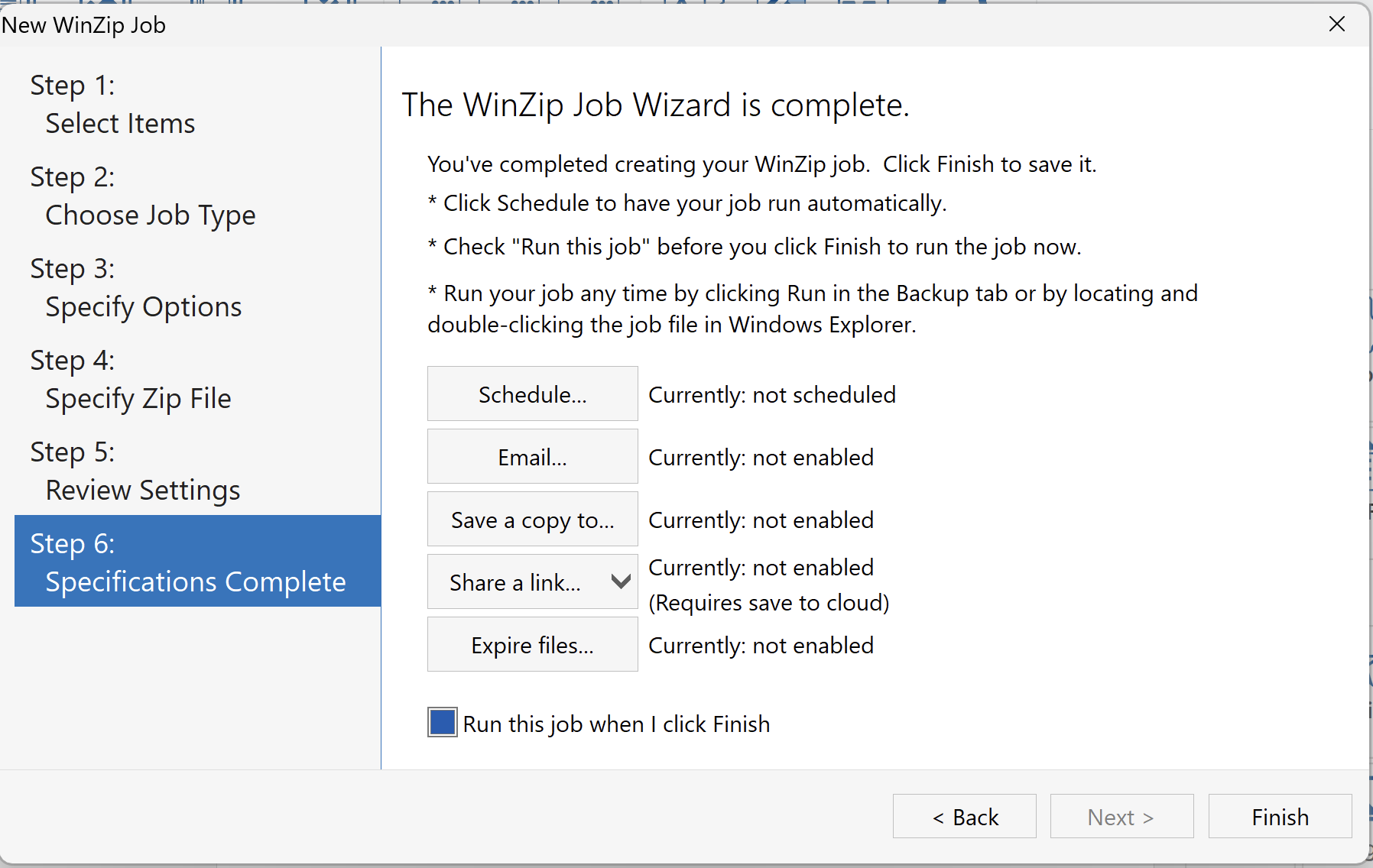
If you need to save a copy of your backup to a cloud service, click the Save to button in step 6 of the Job Wizard. If you click the Save a copy to button, the Configure Saving to Cloud dialog will open. You can then check the box to Save the Zip file to a cloud service and click the button to select which service to use. If you are not currently logged in to the cloud service you select, you will be prompted to do so. You can also choose options to overwrite an existing Zip file, if one is in the chosen location, and/or to move the Zip file created on your local drive into the Recycle Bin after a copy of it has been uploaded.
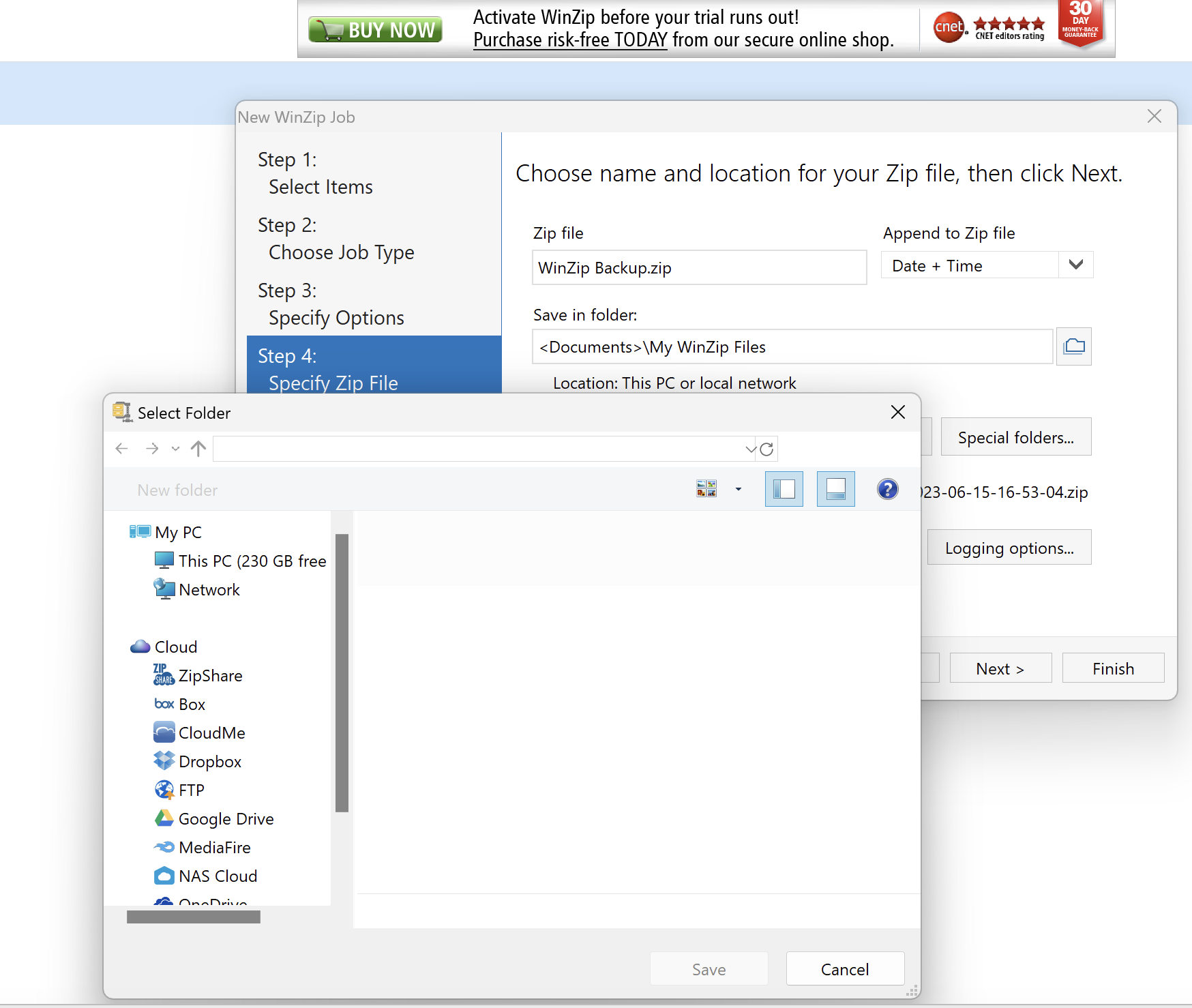
In older WinZip versions, FTP was a separate service and so required its own configuration dialog. In the current version of WinZip and other recent versions, FTP is treated as another cloud service. The FTP sign in window that will open when you choose FTP for the Save to location does include most of the same distinctive settings as the earlier service.
Since FTP is provided with your other cloud services, you can use it outside of WinZip Jobs as well. For example, from an open Zip file you can click File Save As and choose FTP from the listed cloud services if you wish. This is also an option you can choose while creating and saving a Zip file.
Email Notification
You can send the Zip files created by WinZip Backup jobs to an email recipient as files or as a cloud link. You can also configure your backup job to send you a notification when it has finished.
To do this, click on File > Email Settings, select your desired notifications, specify the email account information, choose from the list of options, and WinZip does the rest. Whenever your job runs, the Job Wizard will email the resulting Zip and/or log file automatically.
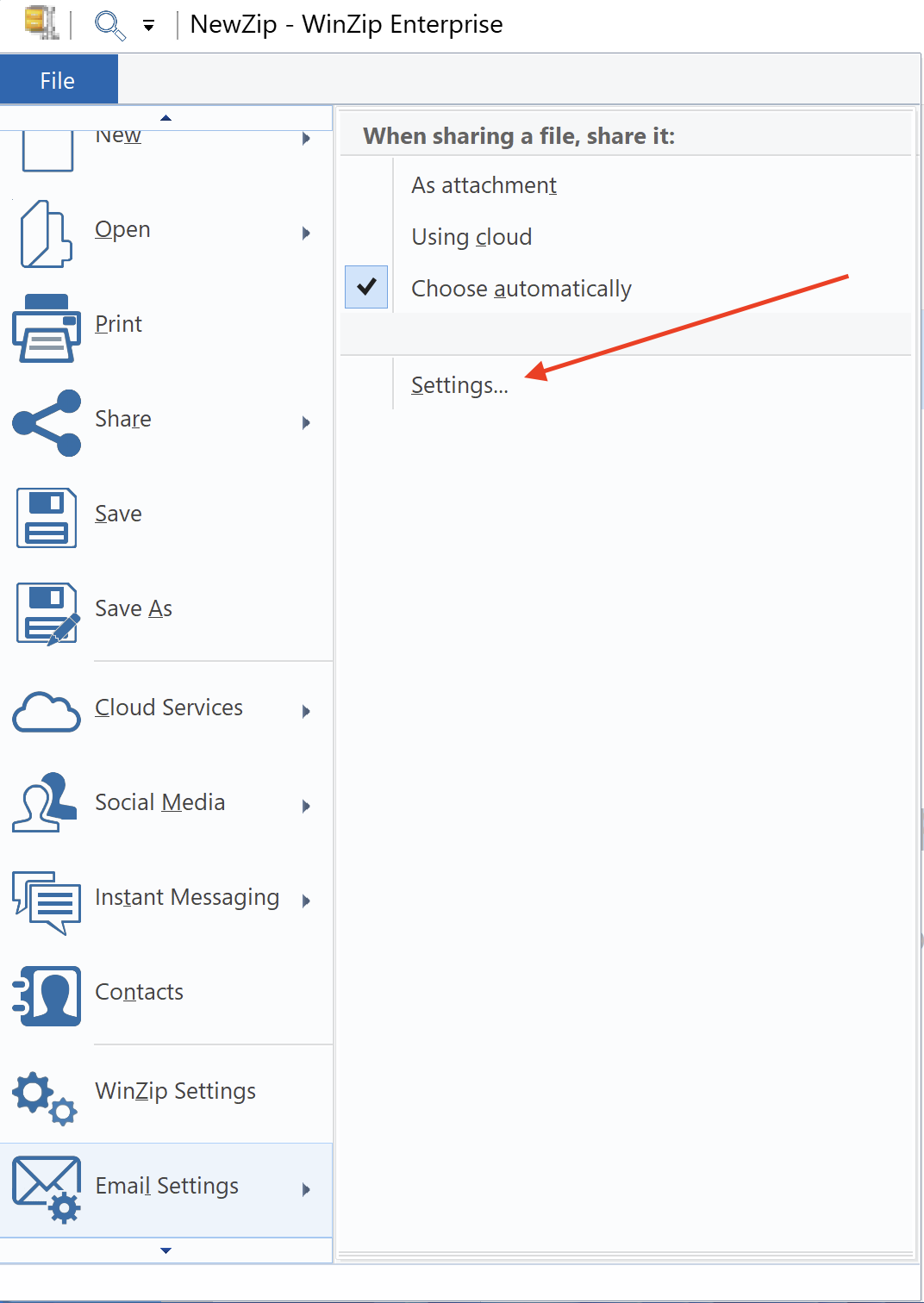
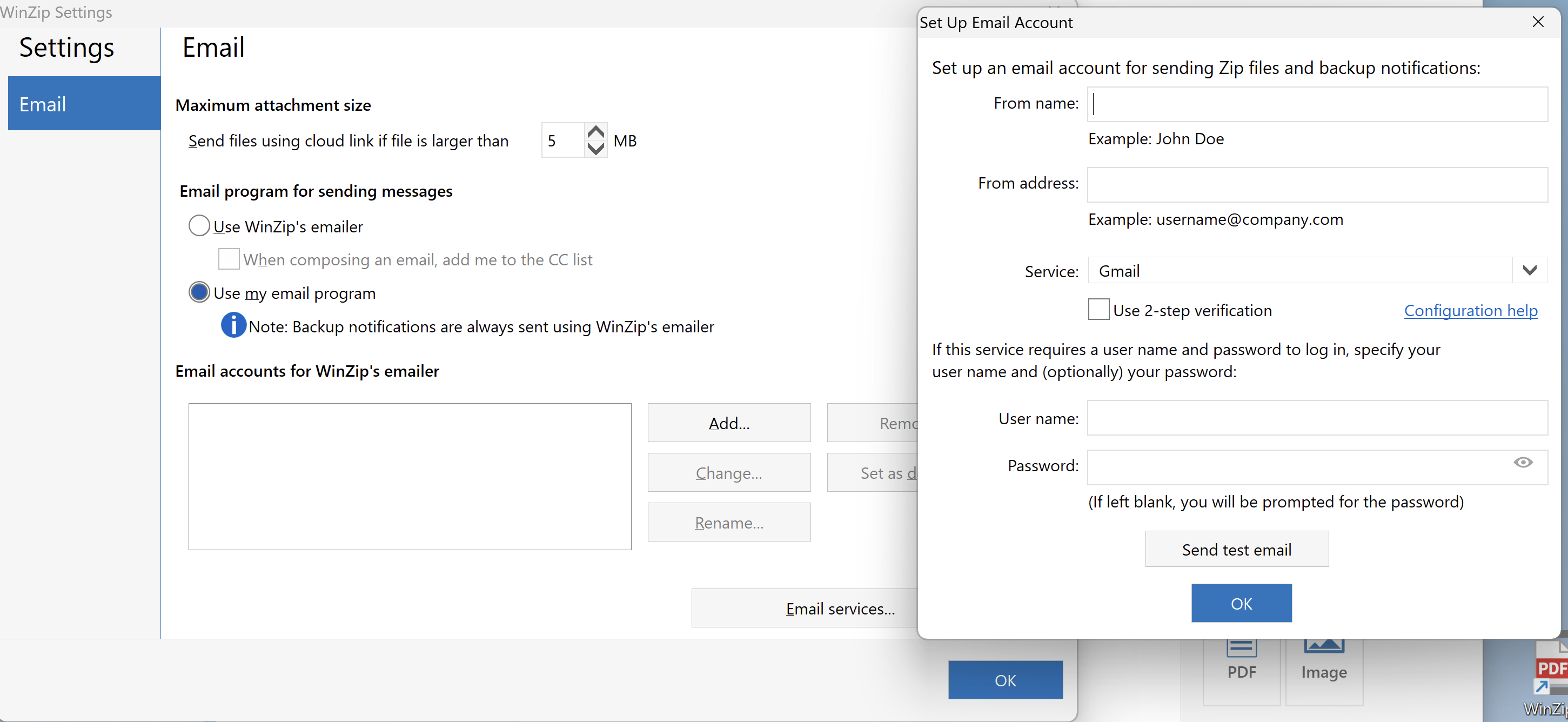
If you click the Email button in Job Wizard before you have configured an email account (in WinZip), the Set Up Email Account dialog will display first.
Was this article helpful?
Tell us how we can improve it.