
Here is a quick example of how to create a Zip file (.zip or .zipx) using WinZip:
- Open WinZip
- Find and select files in the Files pane
- Click the Add to Zip button at the bottom of the Files pane
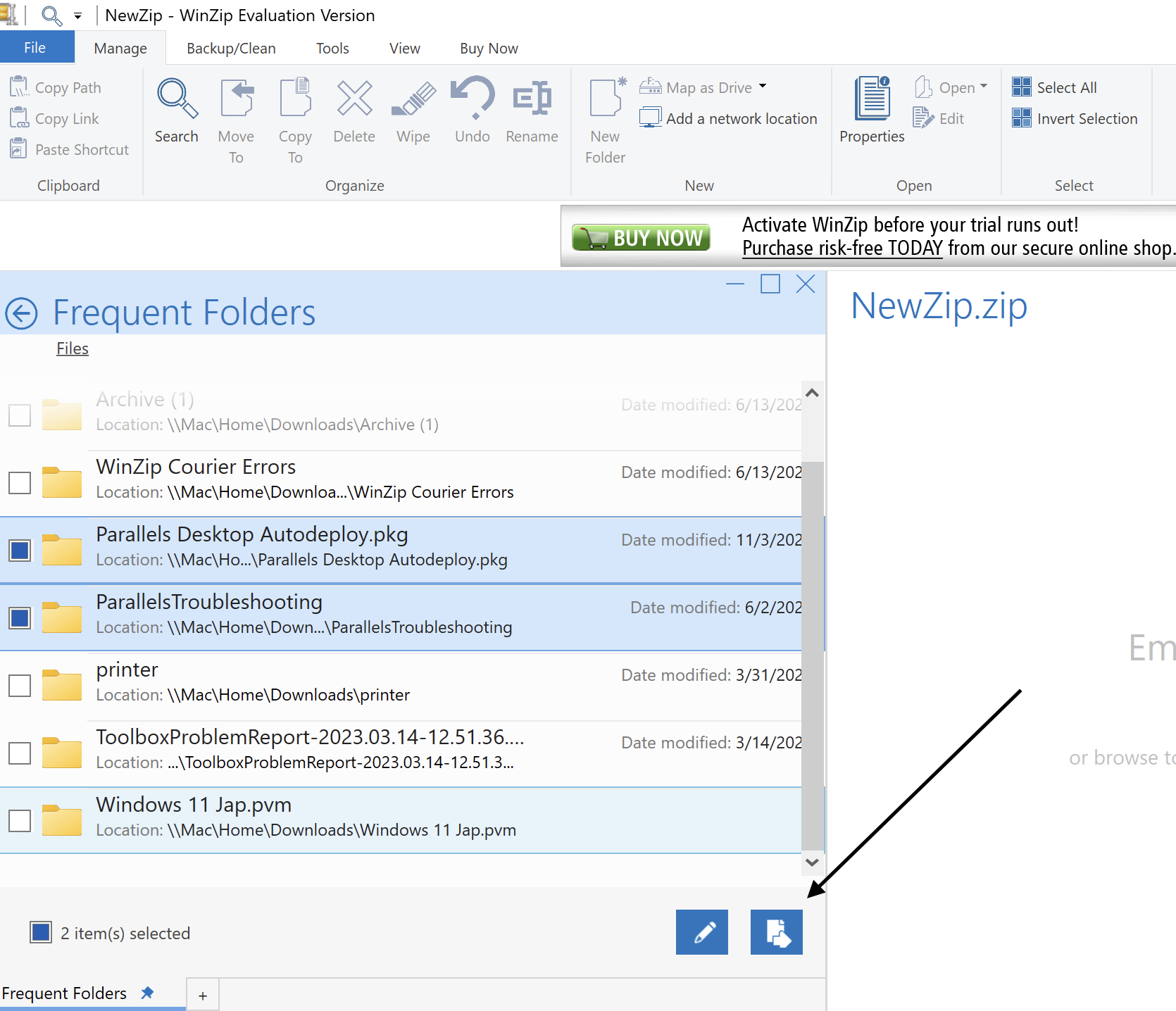
- Click Save as in the Actions pane
- Choose a target location for your file, type a name, and click Save
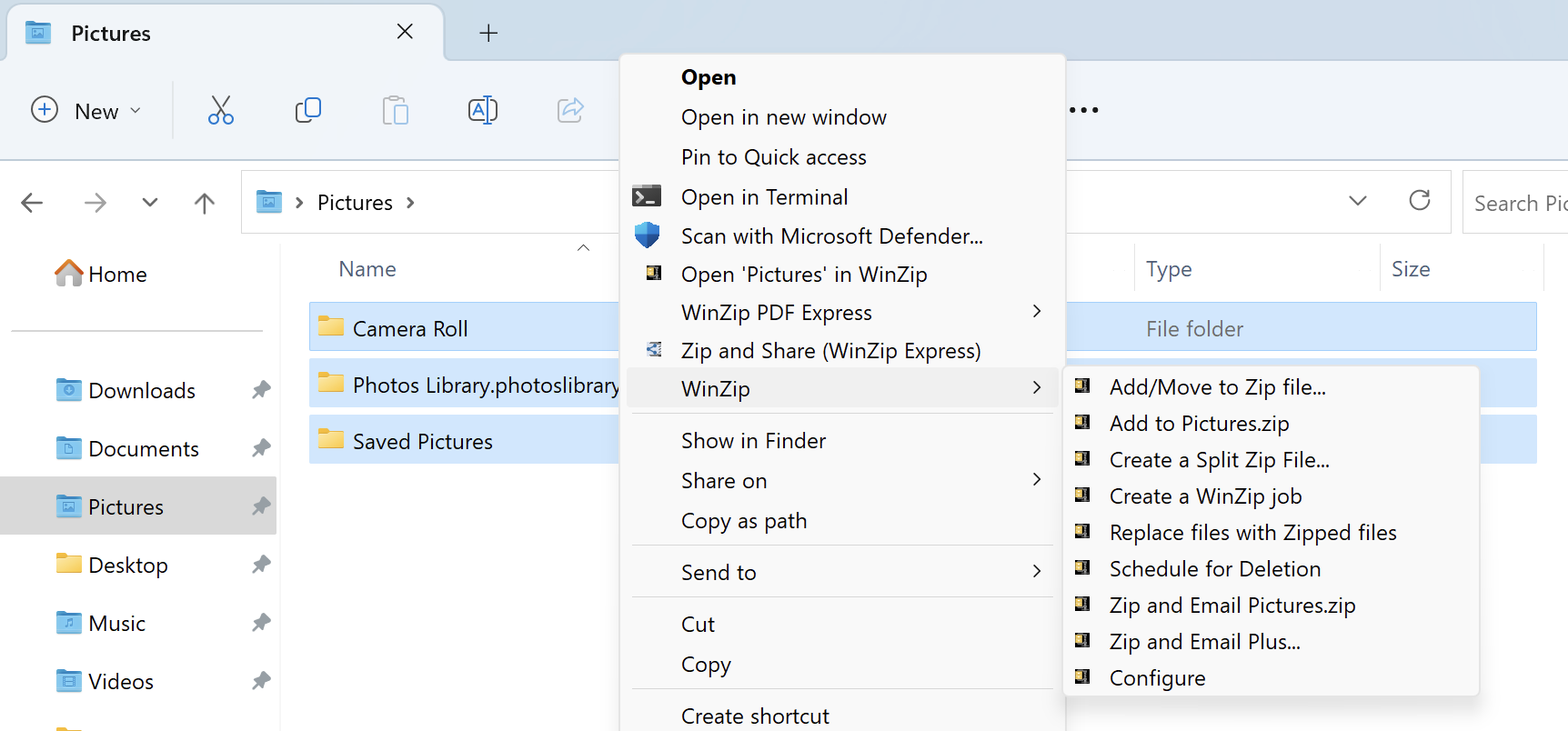
When working in an open Windows Explorer folder, the quickest way to zip files is to use the context menu; that is to right-click on the files/folders and choose one of the Add to options from the WinZip submenu.
- Open a folder window
- Find and highlight (select) the files and/or folders you would like to zip
- Right click in the highlighted area
- In the WinZip submenu of the context menu that displays, choose either:
- Add/Move to Zip file: (quick) To specify your own Zip file name, compression type, encryption, and/or choose conversion options
- Add to [filename].zip(x): (quicker) Create a Zip file using the default compression method with a name as displayed in the menu; you cannot specify other options with this method
- The Zip file is created
You also have the option to click Zip and Share (WinZip Express) when you right-click in order to use WinZip Express for Explorer. With WinZip Express you can zip, choose to encrypt, and make use of many additional options such as saving to a cloud service.
Create a Split Zip File, first offered in WinZip 21.5, can be used for those times when you do not want one, large Zip file created. The size configured in the Tools tab will be used for each segment of the split Zip file you create.
Replace files with Zipped files, first offered in WinZip 21.0, is yet another possibility for quickly creating Zip files. If you choose this option from the context menu, keep in mind that every file selected, including those in folders, will be zipped individually, and the original files will be deleted. Using this option particularly when uploading your files can provide quicker, easier downloading if you only need one or even a few files that otherwise would be part of a set in a large Zip file.
Was this article helpful?
Tell us how we can improve it.